

Podcast
Swisspreneur
570+ podcast episodes turned into instant, cited answers
Read the case studyDocument automation promises a lot: less manual work, faster processes, and data that's immediately ready to use.
But once you move past demos and start working with real documents, different PDFs, scanned images, policies, forms, an uncomfortable truth appears: you can't optimize speed, accuracy, and cost at the same time.
After building document automation systems in complex, real-world scenarios, we've learned that this challenge isn't solved by "choosing the right model." It's solved through architectural decisions, conscious trade-offs, and continuous learning.
In this article, we'll break down why this "impossible triangle" always shows up, why it matters, and how we approach it in practice.
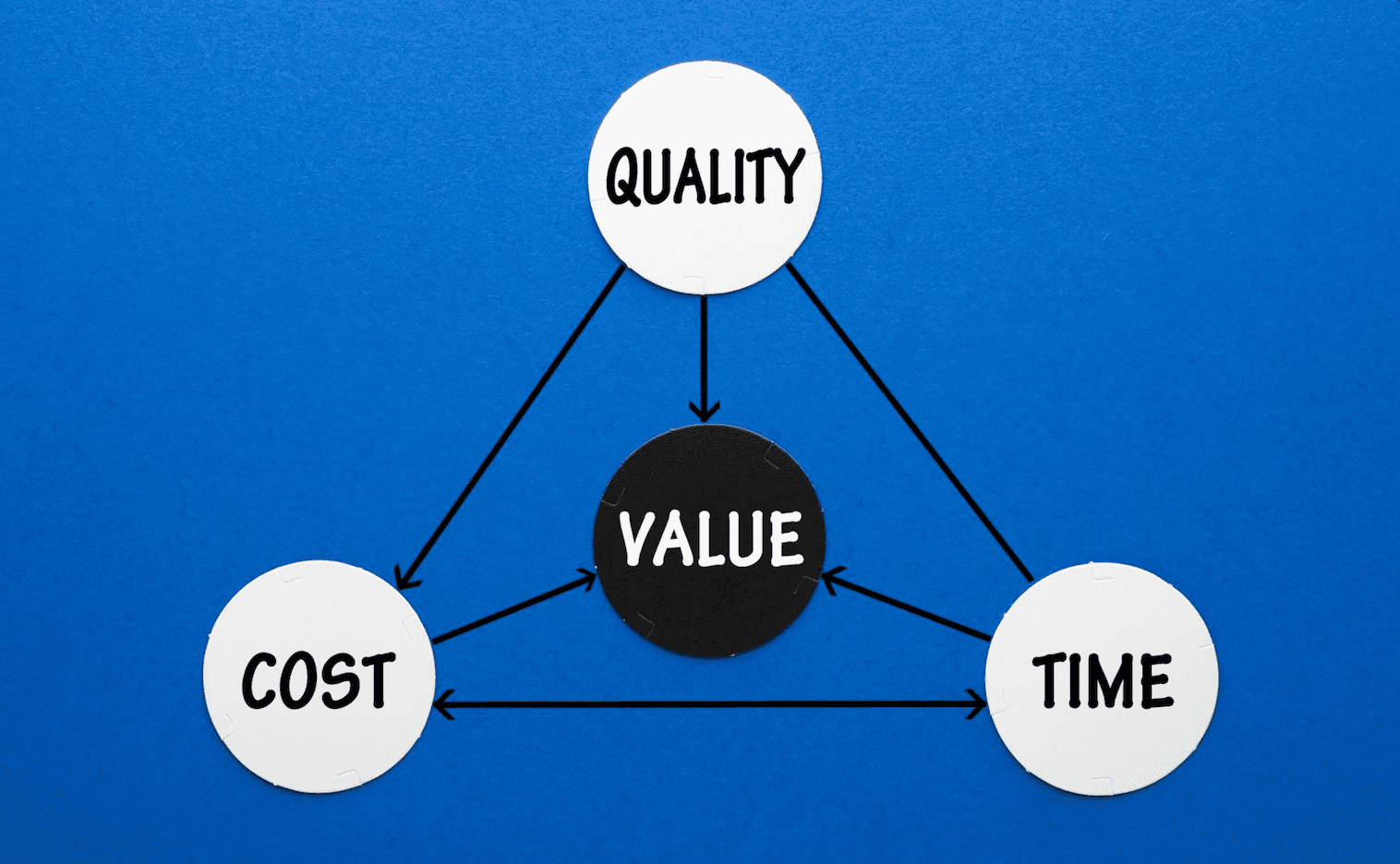
Every document automation project ends up balancing three forces:
Optimizing one almost always degrades the other two. This isn't a tooling problem, it's inherent to the nature of document automation.
A common misconception is that document automation can be solved by picking a better OCR engine or a more powerful language model.
In reality, the model is only one component of a much larger system. When documents aren't standardized, you need an end-to-end pipeline:
A typical flow includes:
Separating these responsibilities doesn't just improve quality, it makes the system easier to iterate, debug, and evolve.
In some workflows, speed is critical. A user waiting for a response or an operational process blocked by delays can't afford long execution times.
Improving speed often means:
The result is faster responses, but also less resilience to edge cases. Speed always comes at a price.
Accuracy isn't an abstract metric. A single wrong value can lead to:
Increasing accuracy usually requires:
That improves quality, but directly impacts latency and operational cost.
In real world document automation, uncertainty is unavoidable. Edge cases, ambiguous layouts, and conflicting signals will always exist; the real issue is trying to hide that uncertainty.
From a UX perspective, uncertainty is not a failure but a design challenge. Good UX makes confidence visible and actionable so users can focus only on what actually needs review.
Effective document automation interfaces:
By designing for uncertainty, automation accelerates high confidence work while guiding human attention where it matters most. This reduces cognitive load, builds trust, and turns automation into a reliable partner rather than a black box.
When talking about cost in document automation, infrastructure is just the beginning.
There's also:
Highly generic systems designed to "handle everything" are often slower, more expensive, and harder to maintain than purpose-driven solutions.
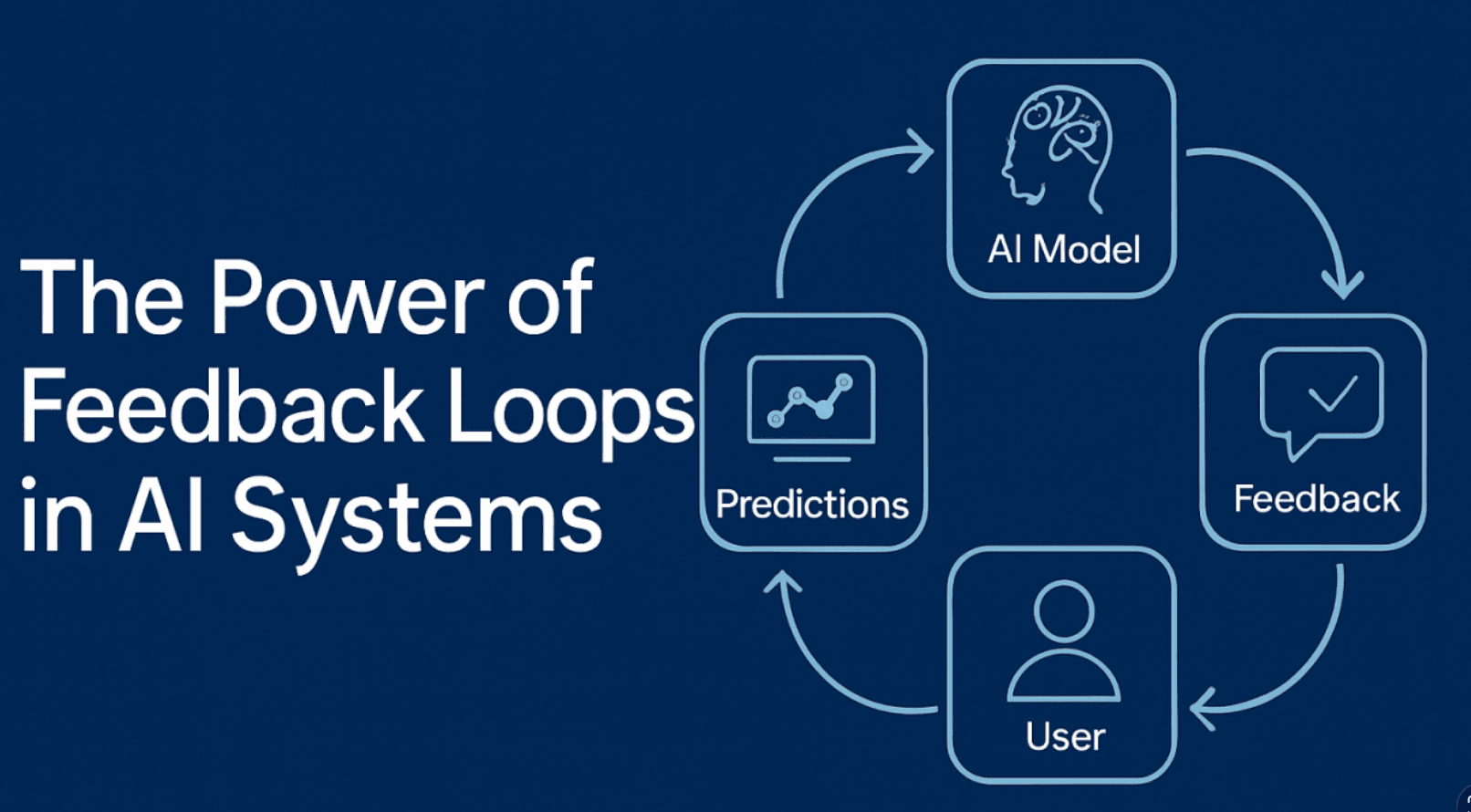
In complex domains, quality can't be defined in isolation.
It has to be defined together with the client, using real outputs and real feedback.
Human-in-the-loop approaches allow teams to:
Document automation isn't a one-off project, it's a living system.
The real value doesn't come from extracting data, it comes from what you do with it next.
Once unstructured documents become reliable, structured data, you can:
That's when automation stops being "tech" and starts delivering real business impact.
Document automation isn't magic, and it's not solved by a single model or tool.
It's engineering.
It's trade-offs.
It's continuous learning.
At Streaver, we believe the real difference lies not in using technology, but in designing systems that balance speed, accuracy, and cost based on real business needs.
If you're dealing with unstructured documents, manual processes, or automation that doesn't scale, let's talk.
We enjoy tackling complex problems and turning them into systems that actually work.
👉 Get in touch and let's explore it together.
570+ podcast episodes turned into instant, cited answers
Read the case study
Building a $1M product for $125K with a non-technical CEO at the keyboard
Read the case study
First paying enterprise customers in fourteen weeks
Read the case study
How a developer automated his daily planning with a scheduled AI agent: no code, just a document, a schedule and one prompt. Rules, examples and costs.

Devin will sell you an AI software engineer. Nobody mentions that you also just became its engineering manager. An honest comparison of buying the AI tool vs. renting the outcome — and which deal your company actually needs.

We moved our dev-workspace setup off manual steps and onto two scripts our tooling runs on create and archive. The deciding factor wasn't the time saved; it was that disposable, collision-proof workspaces are the only thing that survives multiple coding agents working in parallel.
Streaver embeds senior product teams inside companies building AI-native software, from whiteboard to live customers.
Talk to us