

Podcast
Swisspreneur
570+ podcast episodes turned into instant, cited answers
Read the case studyKeeping your EC2 instances updated is not as easy as you may think when you have to do it consistently, across different environments and with minimal interruption on your production workloads. I’ll walk you through a solution to automate this process using AWS Systems Manager (AKA AWS SSM) to automate patch management, reducing operational overhead while improving the security posture and compliance of your company.
While working and learning more about infrastructure, I wanted to understand how organizations handle this kind of “routine checks” and maintenance tasks at scale. Patching instances is critical for security but also kind of repetitive and easy to overlook. As I explored AWS SSM, I discovered this was much easier than I initially expected.
By the end of this post, you’ll understand how patch automation works in AWS, how to configure it using SSM, and why investing a little time in automation can save countless hours of manual maintenance later.
This is one of my favorite AWS services because it helps you view, manage, and operate nodes at scale. A node is simply a machine configured to be managed by AWS SSM, which means the SSM Agent must be installed so it can communicate with Systems Manager. We will learn more about SSM Agent on the following sections.
This service includes a toolbox that lets you patch nodes at scale, connect to them without opening inbound ports (a more secure approach), run remote commands, and automate common administrative tasks. It includes a unified dashboard that helps you visualize your nodes, specific node insights to understand which nodes require your attention and filter views per region, OS and accounts, among others.
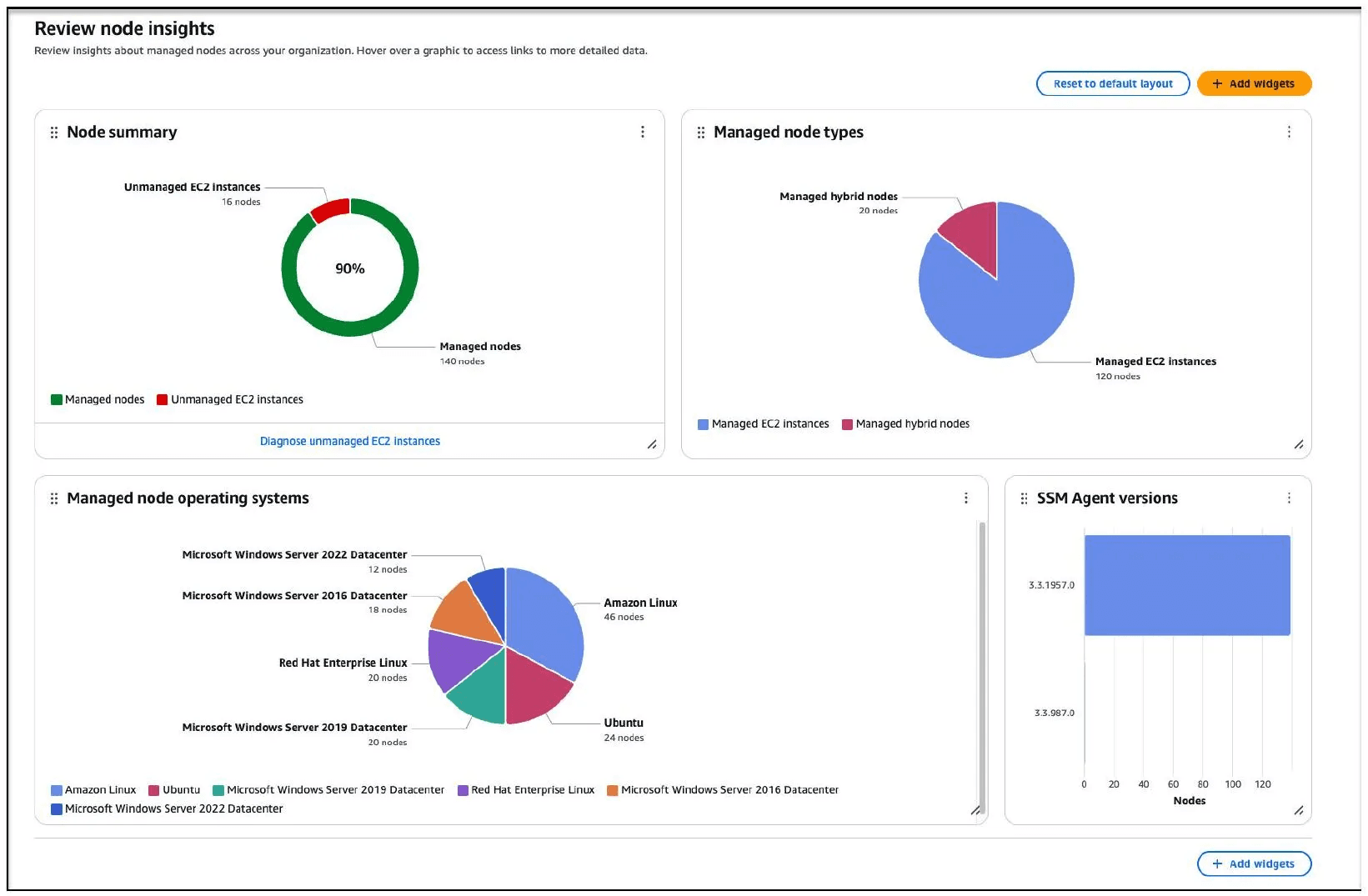
Photo credits: AWS official documentation
Some SSM benefits are:
Security should be a priority when we talk about our infrastructure. Still, it can get pushed down the list because manually patching instances across environments is time-consuming and error-prone.
The problem is not patching instances, the problem is doing it consistently, without disrupting critical workloads and maintaining a good security posture of your infrastructure. Automating this becomes very valuable for your organization.
Lucky us! With SSM, we can use a tool that continuously assesses and manages patch compliance. As you can guess from the title, our star today is AWS Patch Manager, a tool within SSM. Patch Manager provides exactly that capability, allowing teams to centralize operational tasks and automate patch management across resources, with both security updates and other types of updates (like App support on Windows).
With this tool you can scan and install any missing patches. The tool does this by making use of something called Patch Baselines, these are a set of rules that SSM uses to define which OS and software updates are approved for installation.
One of the things I loved about Patch Manager is that you can patch managed nodes on-demand whenever you want or you can schedule patching on maintenance windows.
Enough introductions, I think we’re ready to jump into the interesting stuff. In this opportunity, I’m going to focus on automating patching for an EC2 instance.
Once you are in the SSM panel (Psst, a quick tip: double-check that you are in the correct AWS Region). To configure AWS SSM to run a patch scan on an EC2 instance, the first thing you need to do is attach a policy called AmazonSSMManagedInstanceCore to your EC2 role. Then, you must attach this IAM Role as an Instance Profile to the EC2 instance. This is required for the instance to be managed by SSM, as it enables the service’s core functionality.

The next step would be to connect to your instance through one of the available methods (in my case I’ll use instance connect) and install SSM Agent on the instance.
Once I was connected to the instance, run the following commands:
mkdir /tmp/ssm
cd /tmp/ssm
wget https://s3.amazonaws.com/ec2-downloads-windows/SSMAgent/latest/debian_amd64/amazon-ssm-agent.deb
Check the AWS official docs depending on your specific case.
And then you can run this command to check if the agent is up and running
sudo systemctl status amazon-ssm-agent
Pro tip: To ensure that the agent will start after the instance is rebooted, enter the following command
sudo systemctl enable amazon-ssm-agent
As you can see, we installed the agent manually using an installation file stored in an S3 bucket. If you only have a couple of instances, you can use the “Quick Installation” command instead. The commands provided by Quick Installation can also be added to the user data script. For bulk installations, you can create custom installation commands. However, this is not the only way to install the agent, SSM agent can be pre-installed on AMIs.
Just a heads-up: SSM Agent is already preinstalled on some Amazon Machine Images (AMIs) provided by AWS and trusted third-parties.
SSM agents need to be kept up to date. Whenever AWS adds a new feature to the agent, AWS recommends updating it.
At this point, I’m happy to introduce you to another SSM tool called: AWS SSM State Manager, in a nutshell this is a configuration management service. We will use it to create an association that performs a patch scan on the EC2 instance.
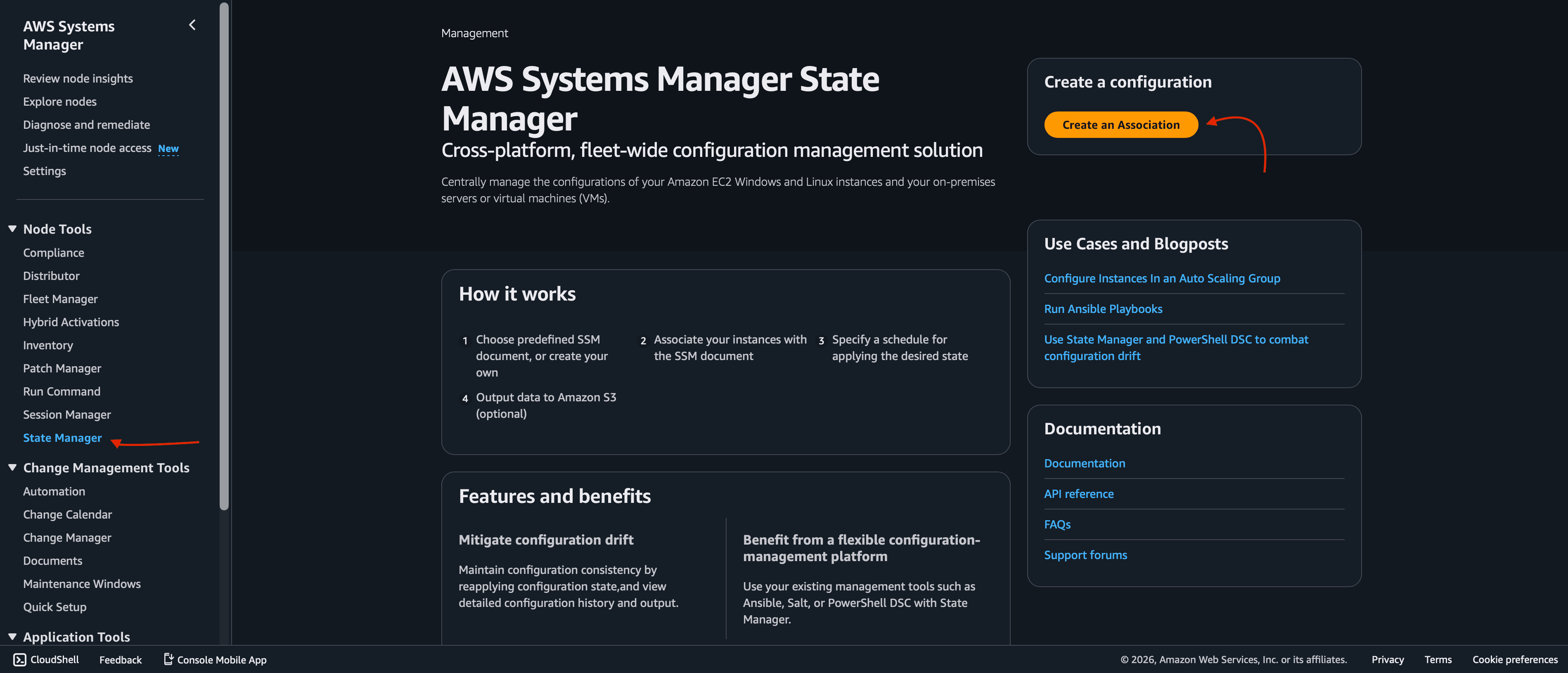
Associations define and maintain the desired configuration of your managed nodes.
You must provide details such as name, for example patch-scan and a document, you need to select AWS-RunPatchBaseline .
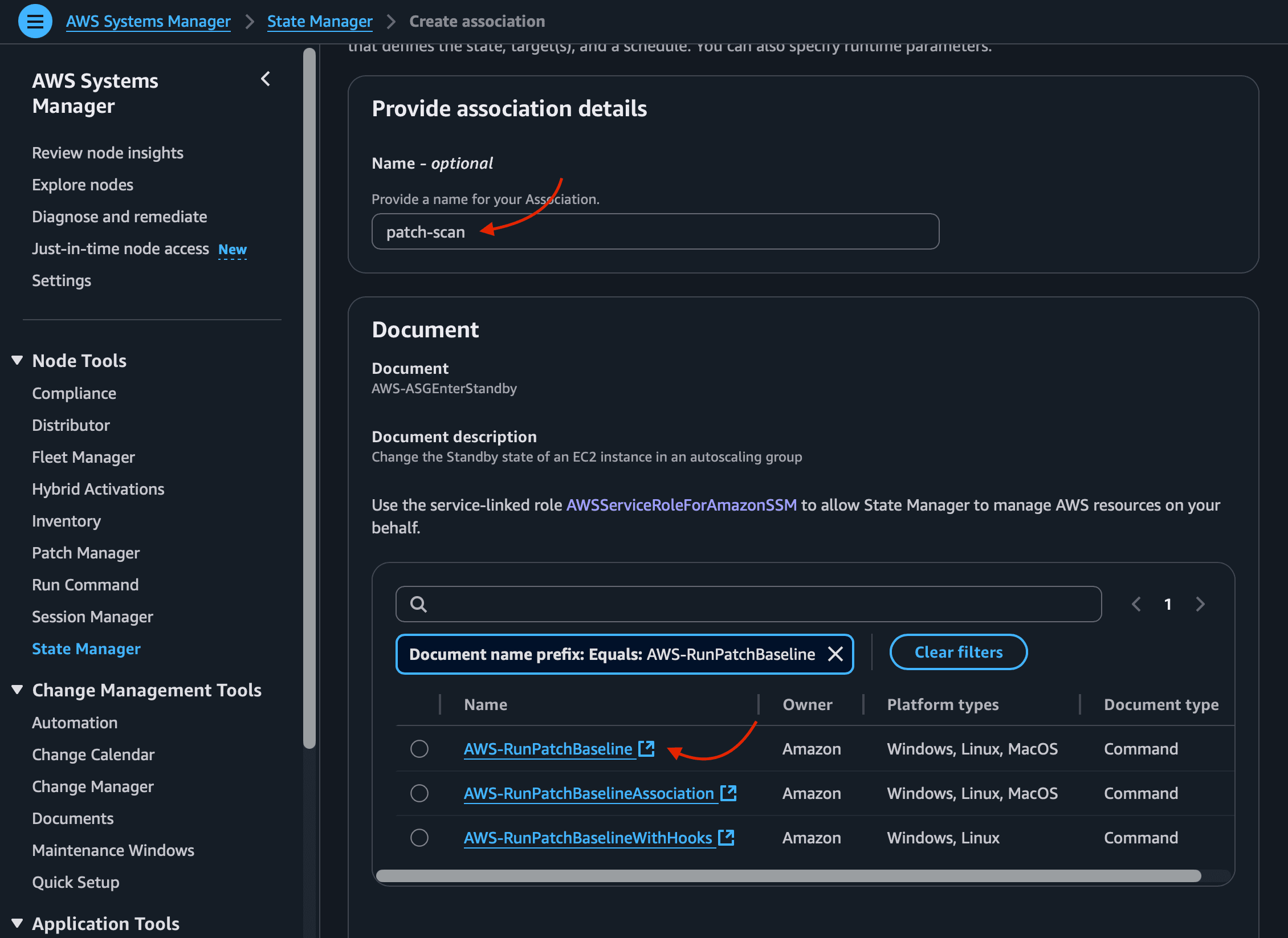
Baselines for different operating systems may vary depending on how quickly new patches are approved (days since release) and their severity.
On parameters section you can choose the operation (Scan or Install), Reboot option and other details.
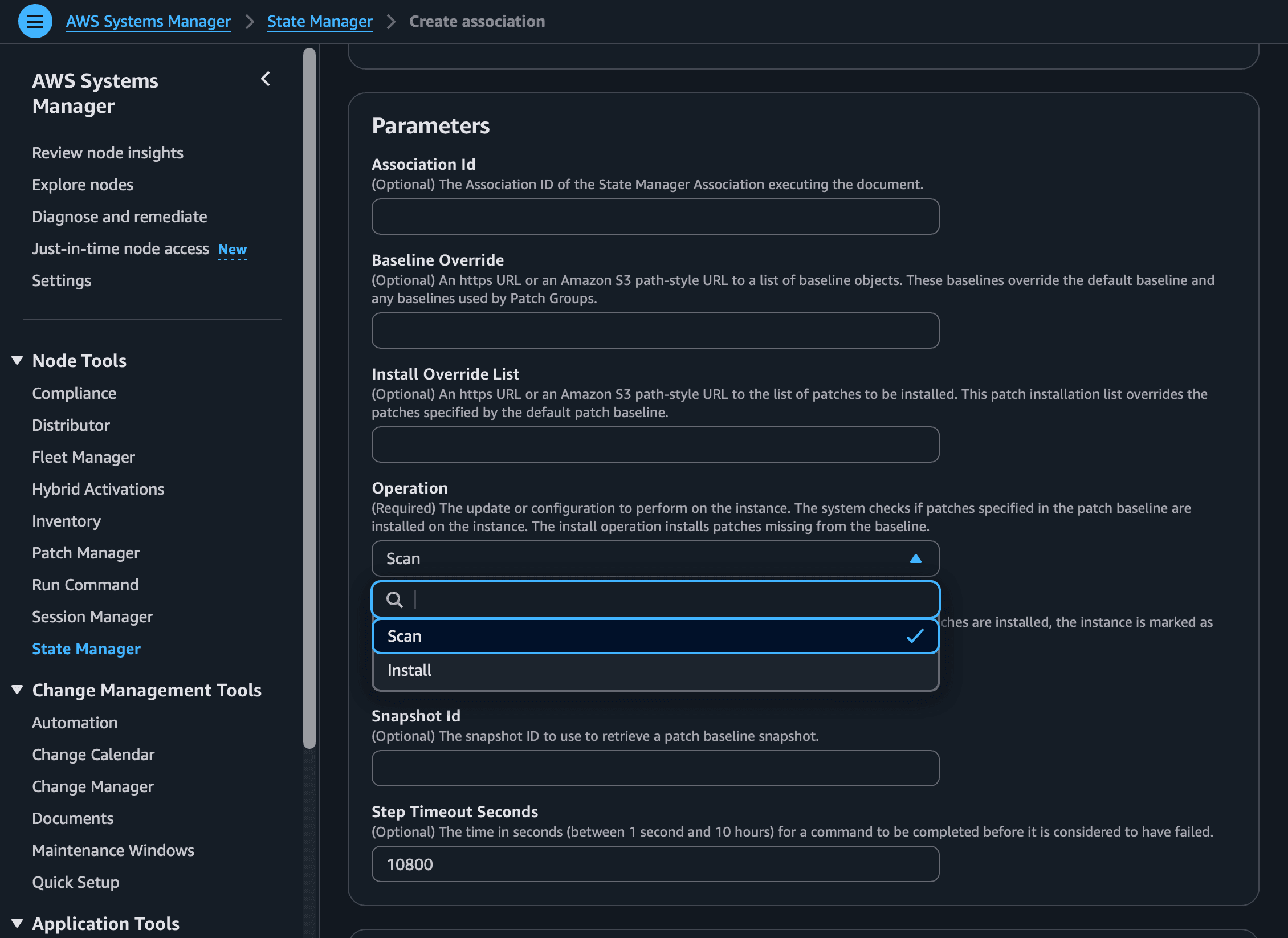
Next, you need to choose your targets, in my case I’m going to choose instances manually.
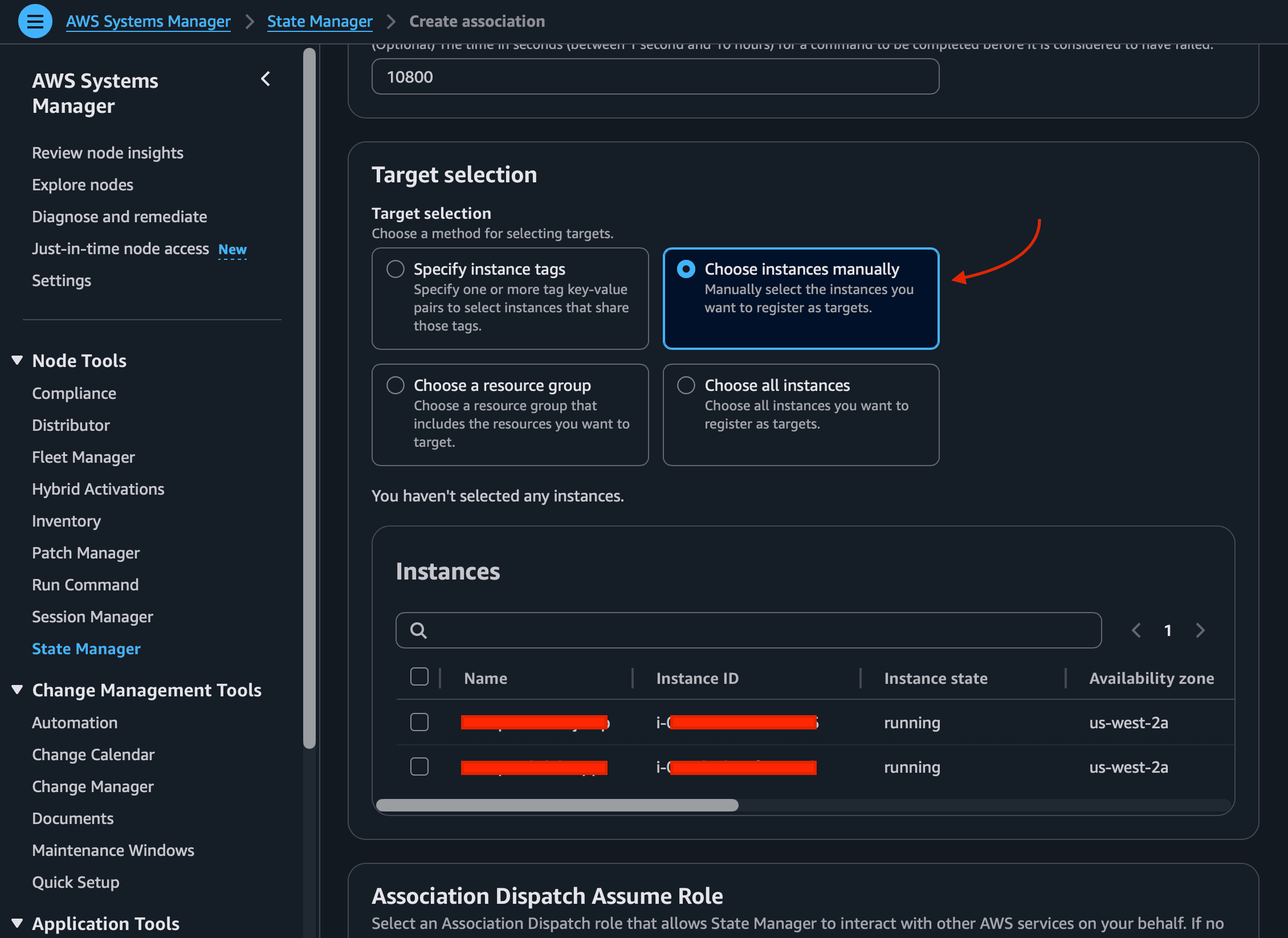
As mentioned earlier, you can schedule patching operations to run during a maintenance window, which is especially useful for production-critical workloads.
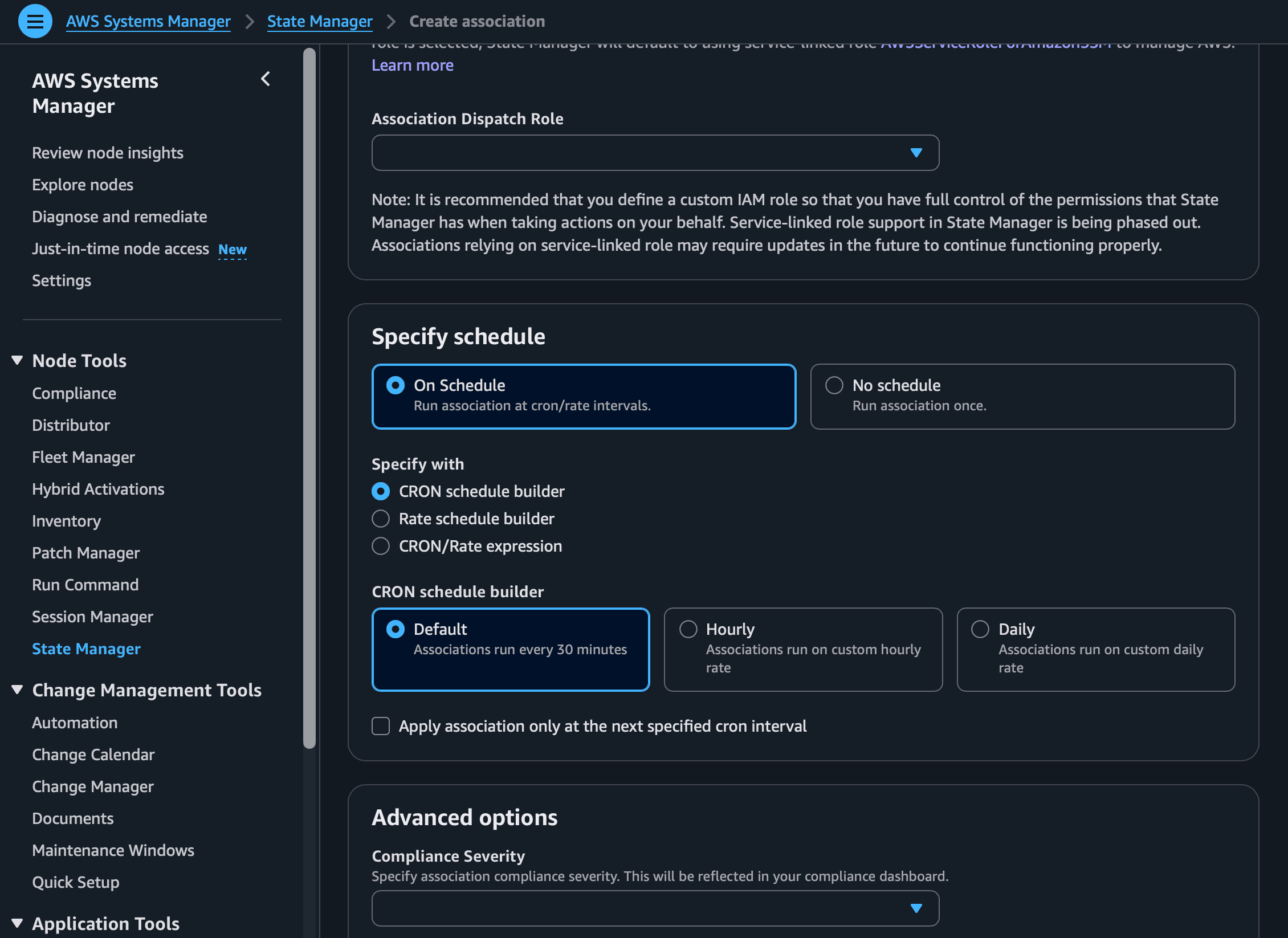
For this demo, I’m going to choose “No schedule”. There are more options to configure, those will depend on your use case scenario. Finally, I choose to save the output of this operation on an S3 bucket.
It’s worth mentioning that we’re using an AWS-provided default baseline. During configuration, you can also specify your own custom patch baseline. This can be useful if your organization has patch approval policies that differ from the AWS-provided default baseline.
Create association and wait till the status is Success.

Explore the association details, such as description, resources, parameters, targets, and execution history. You can view the output depending on the OS; you’ll notice different steps:
PatchWindows, PatchMacOS, and PatchLinux. In the specific output, you’ll be able to see (toward the end) a JSON representation of the patches and their status. Because I chose to save the output to an S3 bucket, I can view it by browsing the bucket’s contents.
Patching your instances manually is no longer viable on cloud environments. As a security matter, this should be treated as a priority because it can expose our infrastructure to security gaps, compliance violations and operational downtime.
With AI developing rapidly and new vulnerabilities discovered daily, being consistent and having visibility helps us defend our systems better.
As we saw, Patch Manager simplifies complex operations, centralizes execution history and automatically routes detailed output logs to an S3.
The key take away is that automating our patch management process isn’t just about saving time, it’s about establishing an immutable, auditable trail of our architecture’s compliance.
By leveraging AWS Systems Manager to automatically scan, install, and log patching operations, we can transition from a reactive to a proactive security posture.
570+ podcast episodes turned into instant, cited answers
Read the case study
Building a $1M product for $125K with a non-technical CEO at the keyboard
Read the case study
Five tools became one platform for an entire robotics ecosystem
Read the case study
The cybersecurity best practices that matter in 2026 — MFA and identity-first security, patch management, awareness training, Zero Trust, and tested incident response — and the AI-driven threats they defend against.
How we rebuilt a fragile, race-condition-prone Universal Login into a reliable, scalable identity platform on AWS Cognito — using managed login, event-driven flows, and an invisible migration of 150,000+ users.

Tired of generic profile pictures? A step-by-step guide to generating unique, random SVG avatar images on the fly with Next.js and the @vercel/og library.
Streaver embeds senior product teams inside companies building AI-native software, from whiteboard to live customers.
Talk to us